Integrate SonarQube
It is essential for KubeRocketCI to have SonarQube integrated with the platform as all the pipelines include the sonar step.
SonarQube is a powerful tool used in build and code review pipelines to enhance code quality by identifying and reporting issues, as well as providing recommendations for improvement. SonarCloud, the SaaS solution offered by SonarQube, serves this purpose.
This guide will walk you through the configuration process of SonarCloud for your project.
An alternative option is to use an independent SonarQube instance.
Integrate SonarCloud
To integrate SonarCloud with the platform, follow the steps below:
-
Sign in to SonarCloud with your GitHub account.
-
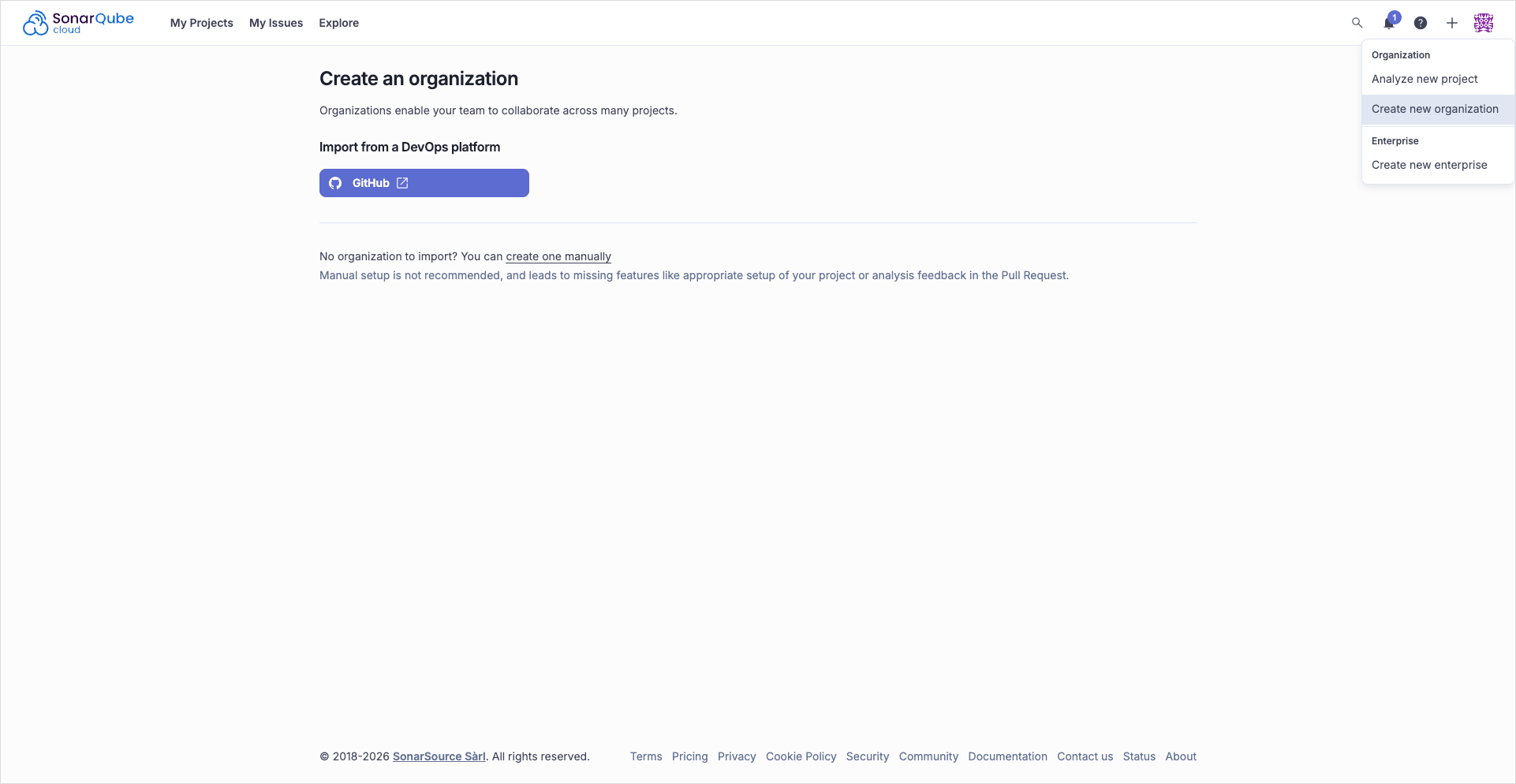
In the top right corner of the screen, click + and select Create new organization, select GitHub, and continue with your GitHub account/organization:
 note
noteSonarCloud UI has changed: the flow is now Create organization -> GitHub instead of the old "import from GitHub" screen.
-
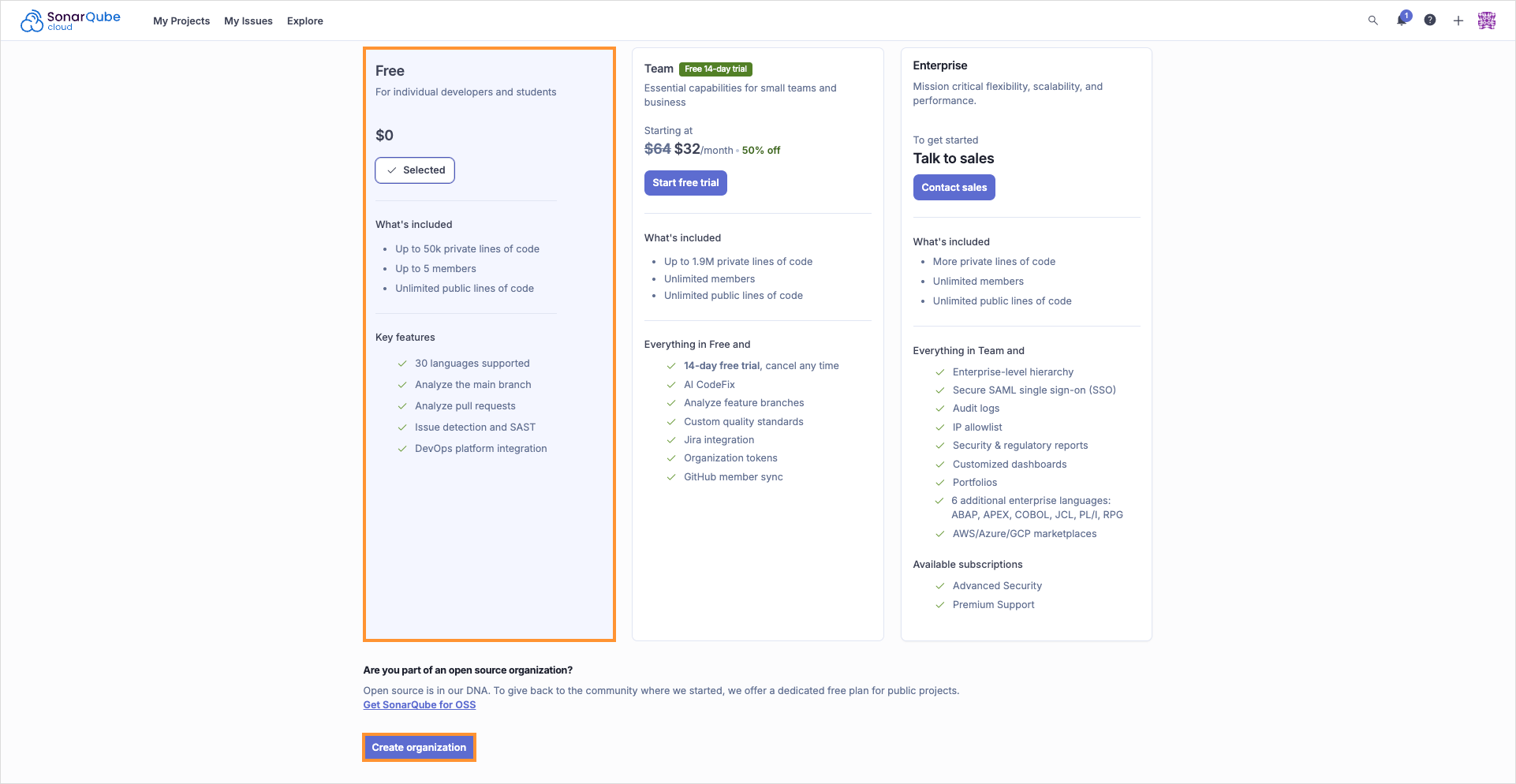
In the Create an organization menu, choose the free plan and click Create organization:
noteOrganization key must be unique.
-
For each SonarCloud project that KubeRocketCI analyzes with Tekton (
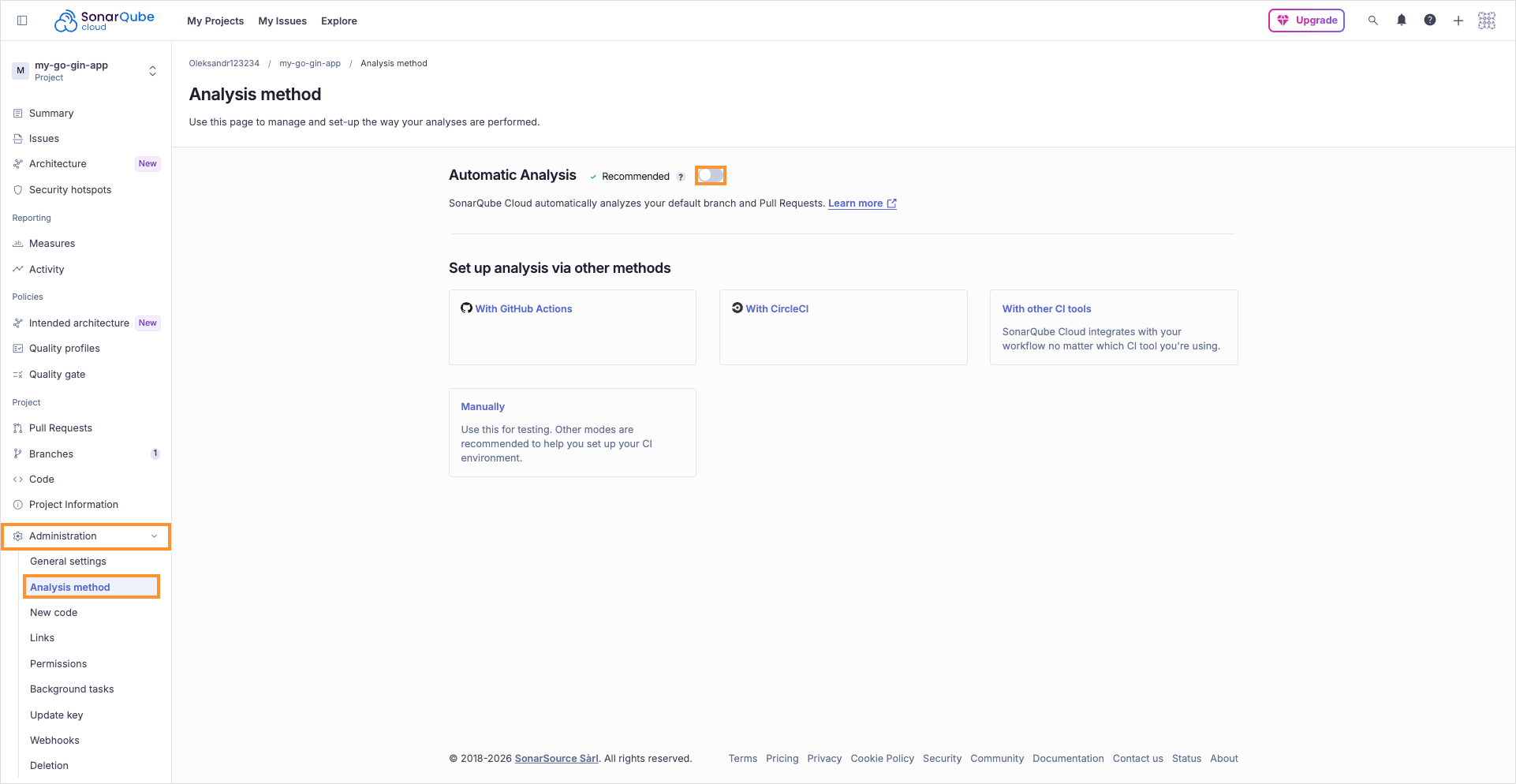
sonar-scannerin the build or review pipeline), turn off Automatic Analysis in SonarCloud so only CI runs the scan. If you have not created those projects yet, do this after you add each repository in SonarCloud (for example while following Create Application):- In SonarCloud, open the project.
- Go to Administration -> Analysis Method.
- Disable Automatic Analysis:
 warning
If Automatic Analysis stays enabled while the pipeline runs
sonar-scanner, SonarCloud returns an error such as You are running manual analysis while Automatic Analysis is enabled and thesonartask fails. KubeRocketCI expects a single analysis path: CI-driven scans with the token configured in the portal. -
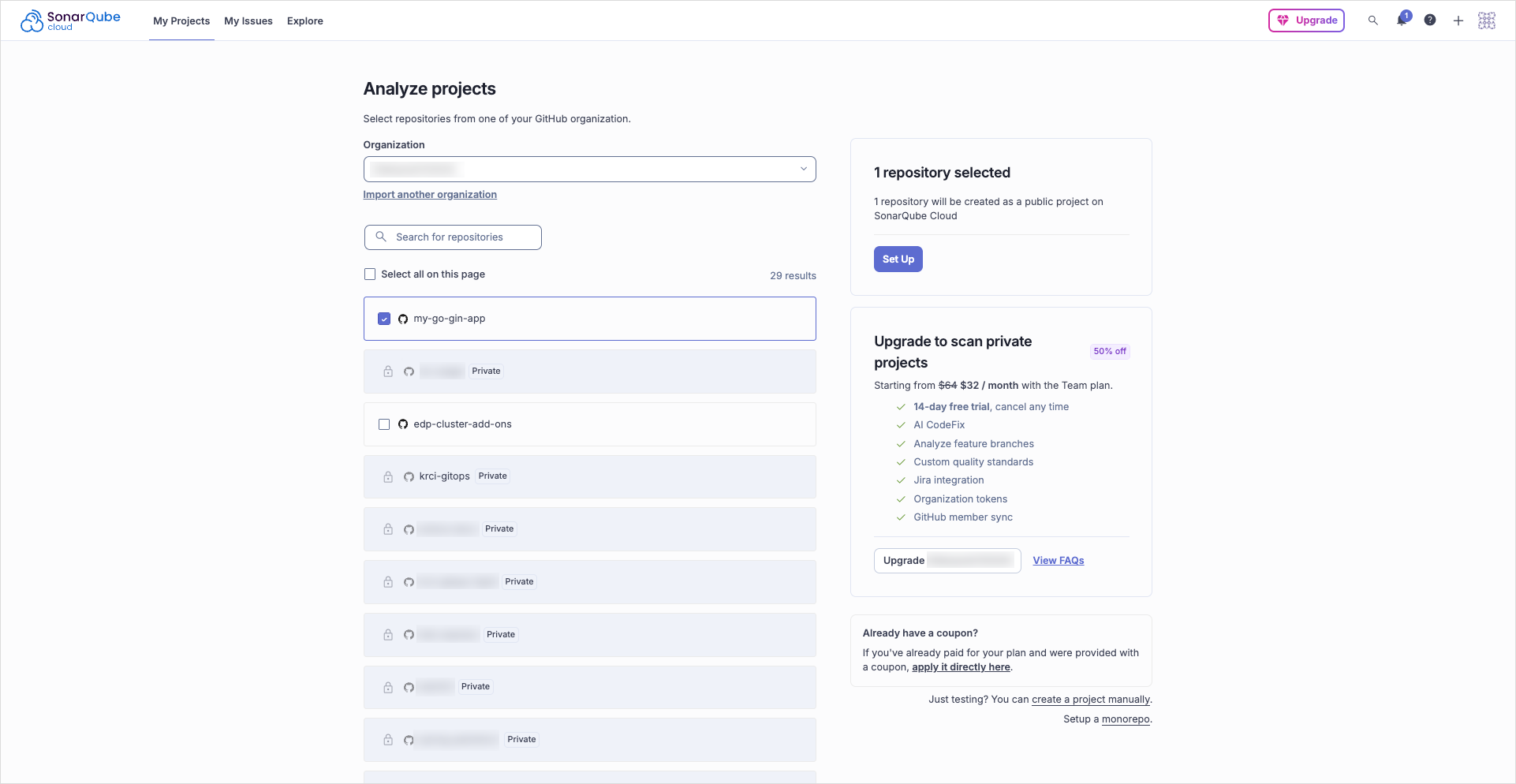
In the create project page on the SonarCloud site, add new project to analyze it:
noteProject name in the Sonar cloud must be the same as codebase name.
Set the Previous version option and click Create project:
-
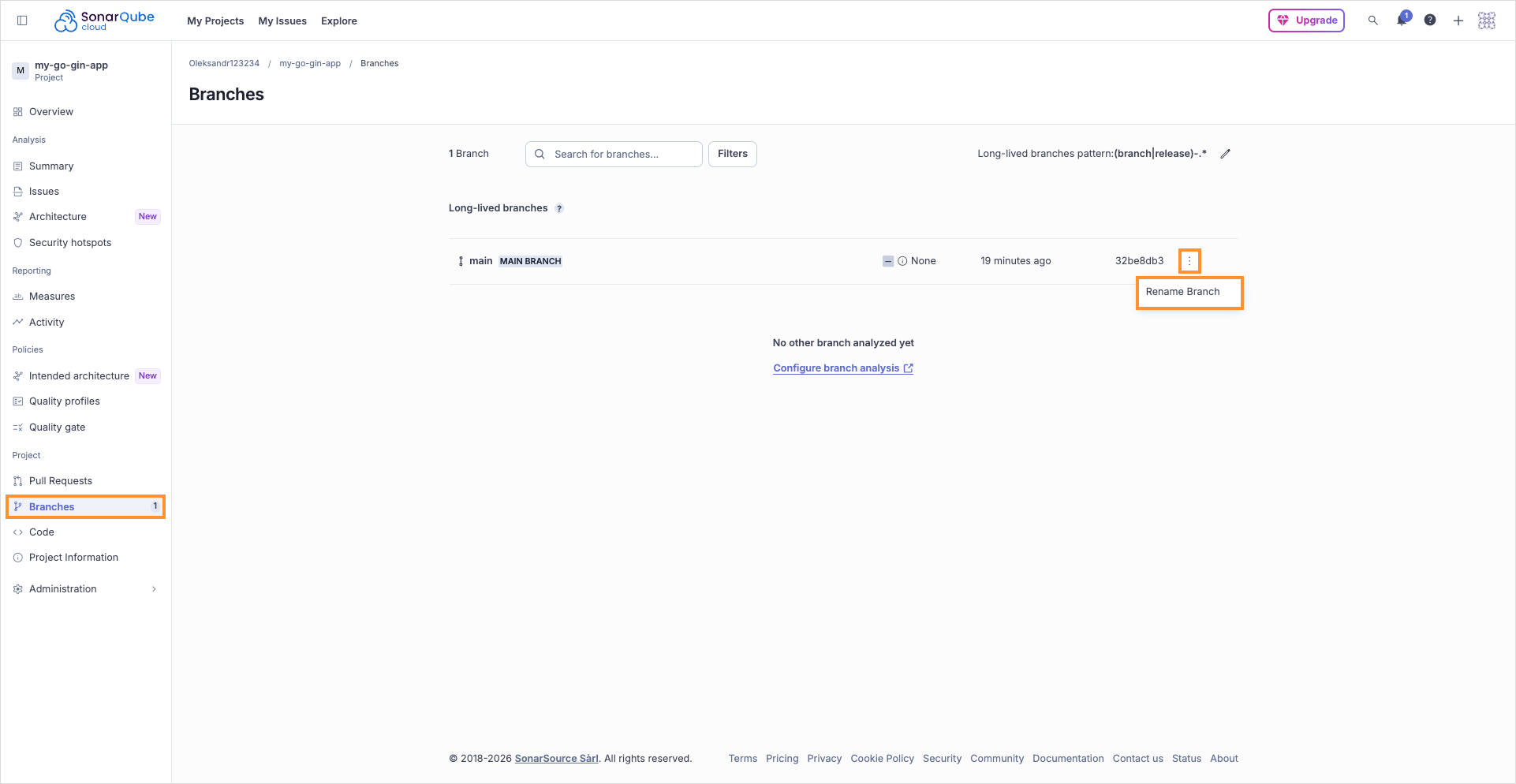
On the project menu, navigate to Branches menu, select
masterbranch and rename it tomain. You can skip this step if the default branch is alreadymain: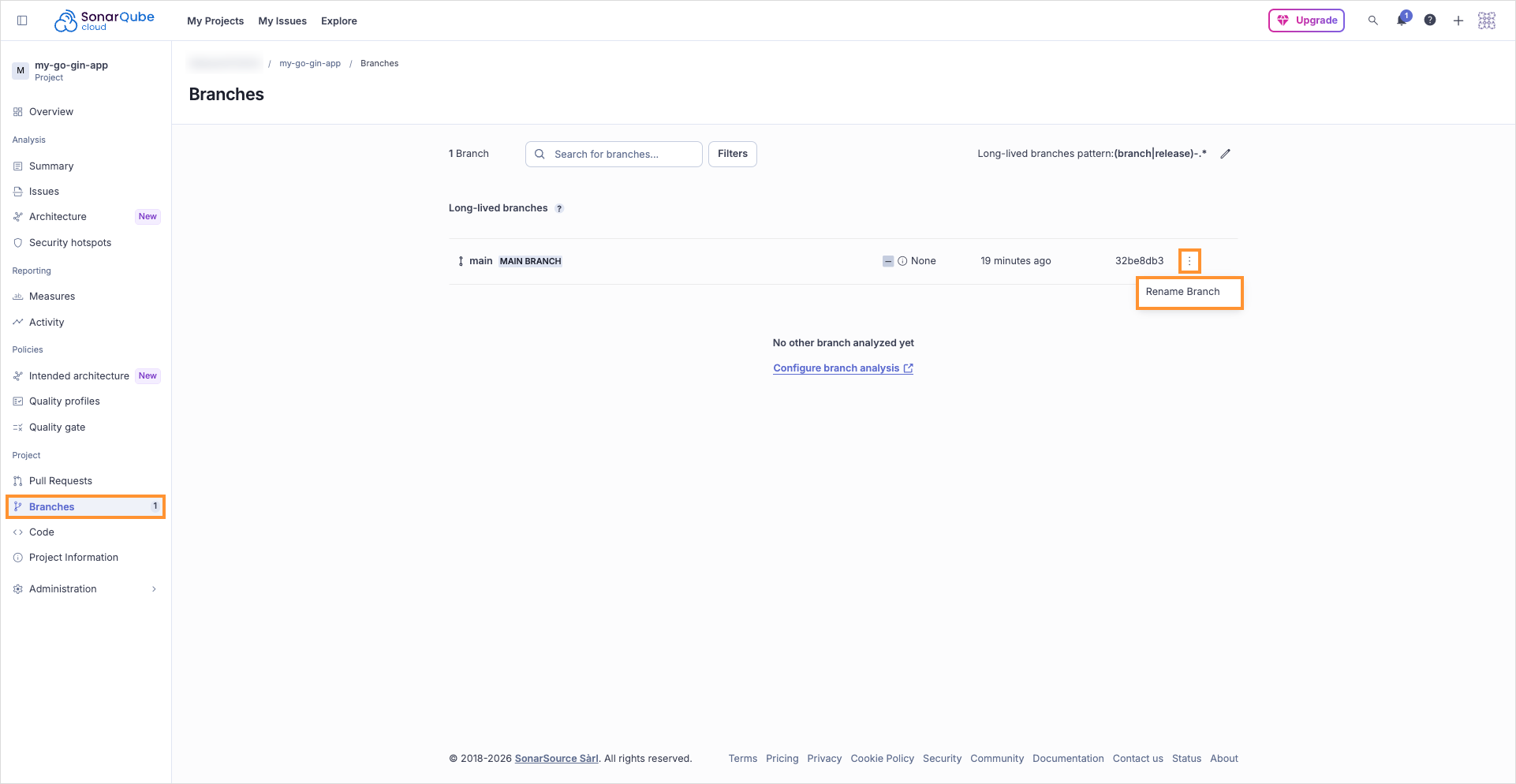
-
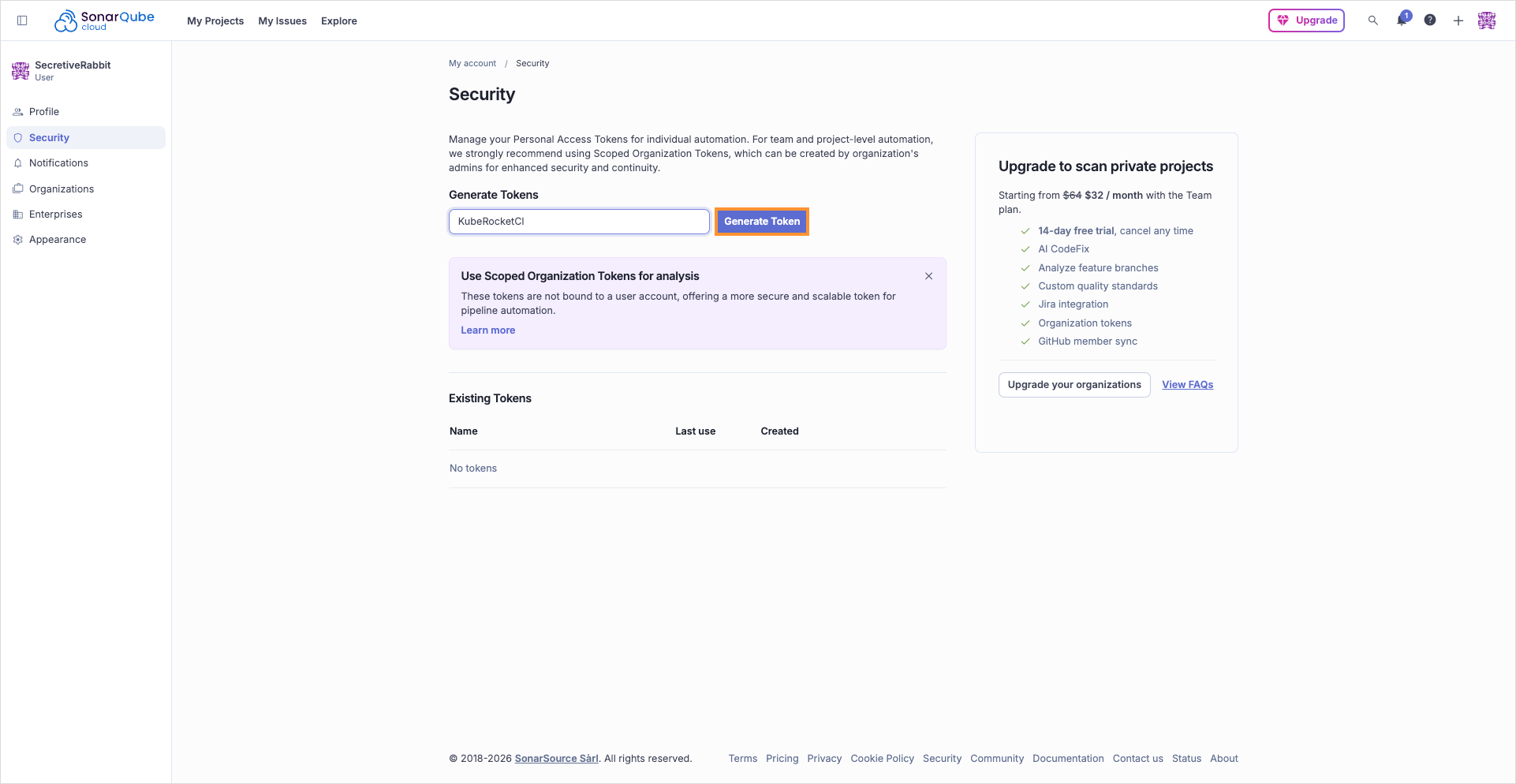
Click your profile icon, open My account -> Security, enter a token name, and click Generate Token:
warningCopy the generated token right away. SonarCloud shows token value only once.
-
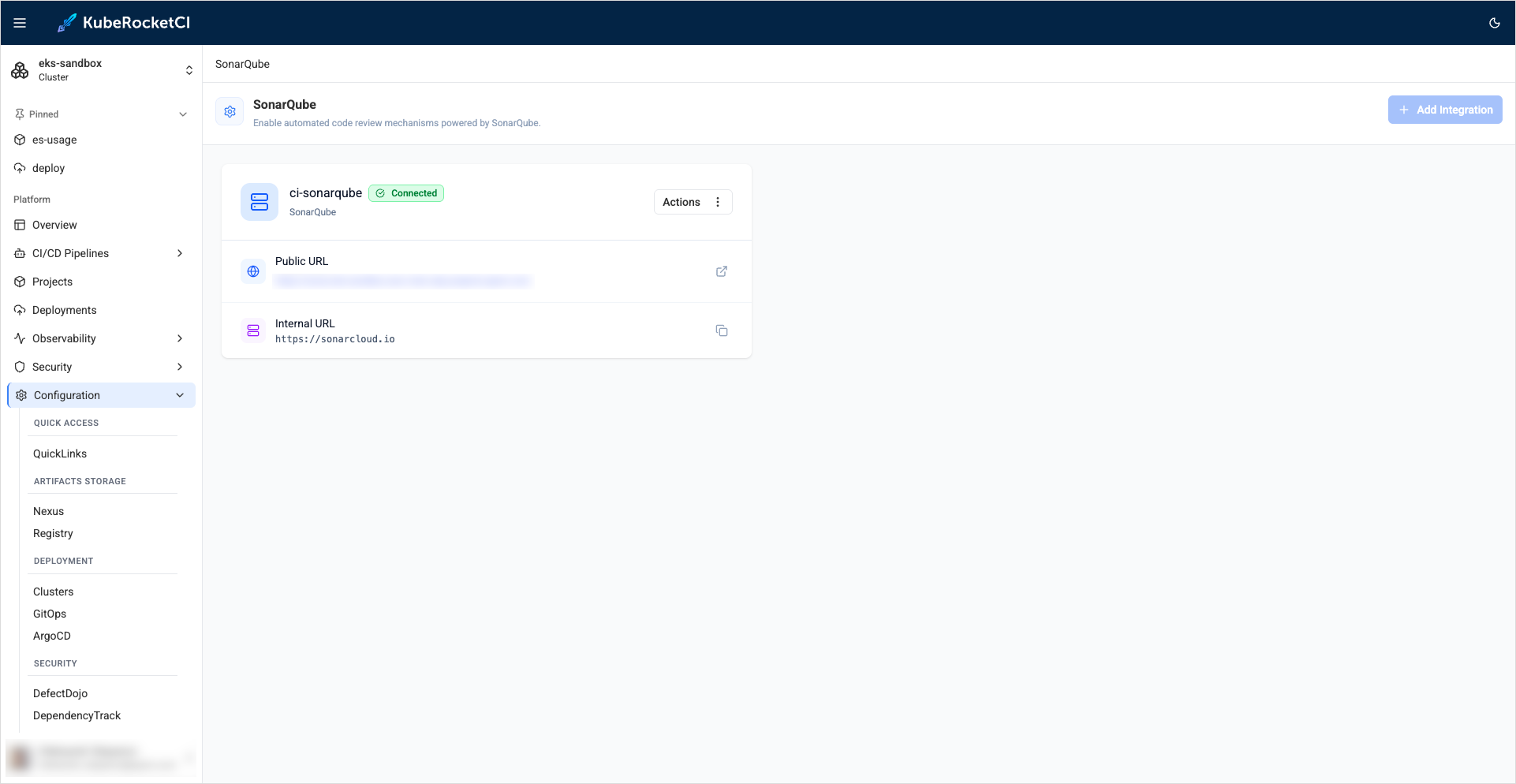
In the KubeRocketCI portal, navigate to Configuration -> Code Quality -> SonarQube. Define the following values and click Save:
- Quick Link URL:
https://sonarcloud.io - URL:
https://sonarcloud.io - Token:
account token generated in SonarCloud
- Quick Link URL:
After completing the SonarQube integration, proceed to integrate the platform with GitHub. Navigate to the Integrate GitHub page for further instructions.